

Cartoon FX Pack v2 / Creating an effect
Creating an effect
Awaiting Asset Store ReviewThis package is not published yet.
Enjoying Cartoon FX Pack v2?Leave a reviewLearn how to create effects using the custom editor.
Create your first effect
- Create a new GameObject.
- Add Components → CTFX2 → Cartoon FX.
- Click Edit Cartoon FX.
- In the Text tab, change the text to whatever you want.
- Scroll down to Billboards & add one.
- If you get Missing Materials error; a. Click Add Missing Materials. b. Select a location to store the materials.
- Change the scale & color (OBS! Change alpha to 1).
- Restart the effect to see what changed.
- Navigate through the other components making up the effect using the tabs at the top and add more stuff to make the effect as you like it.
A tip:
- Open the Particle System Controller.
- Pause the effect.
- Drag the Playback time slider to see different stages of the effect.
- When editing an effect, this helps a lot to see what you are changing in realtime.
Step-by-step guide
Step 1 of 8
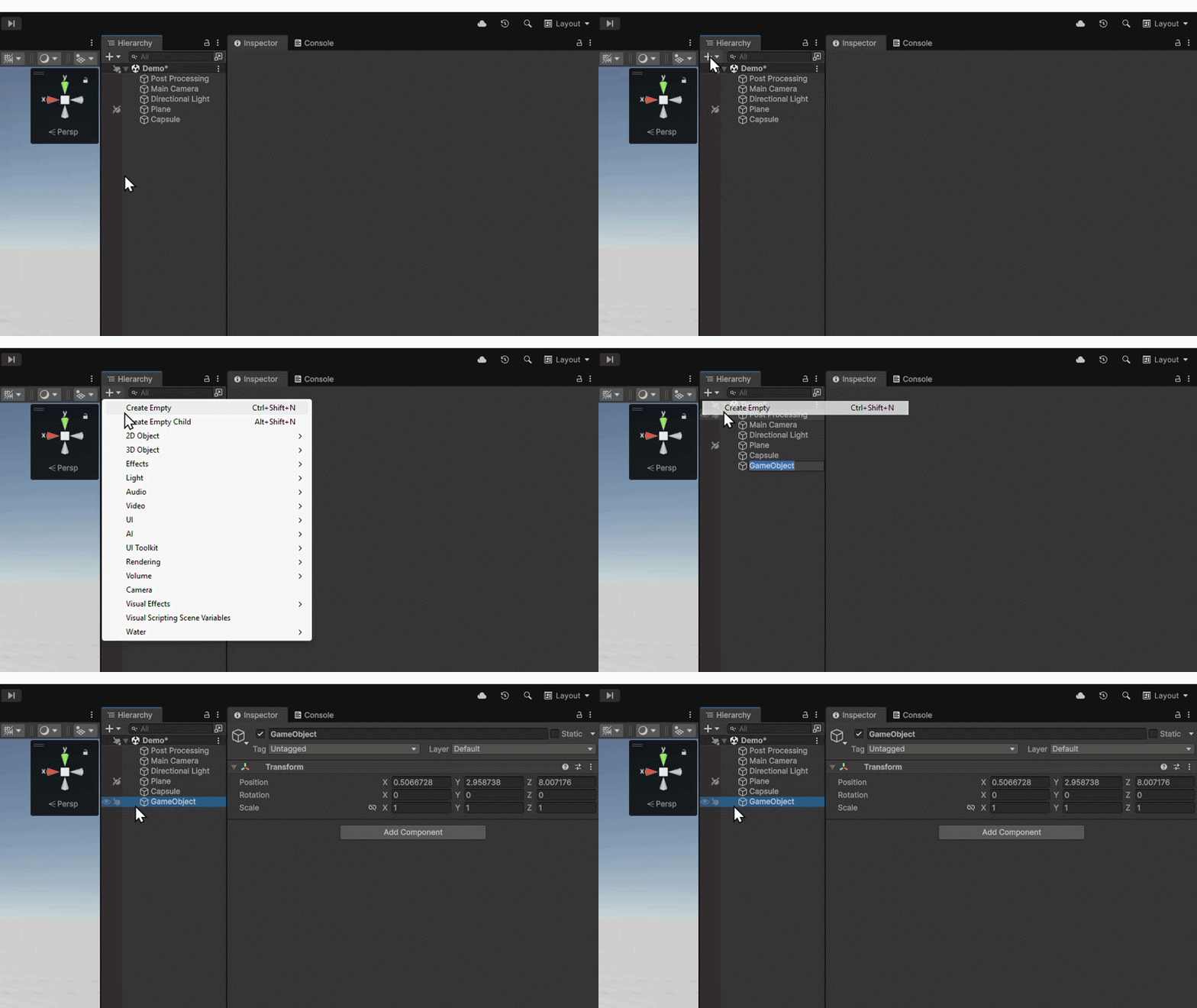
Create a new GameObject
Create a new GameObject in your scene.
Last updated